Stop chasing clients for documents.
Your clients get one clear list and polite reminders until everything is in. Your team gets one board that shows who still owes what. I build it inside the tools your firm already uses, for a fixed price, live in about a week.
- $300 fixed-price pilot: $150 to start, $150 when it's working
- Built on sample data, run in your firm's own accounts
 One-person practice: you deal with me, Evans Elzein, directly
The work around the work
- You send the document list in January, then spend February re-sending it, one client at a time.
- Every new client means the same folders, the same welcome email and the same setup tasks, done by hand.
- Nobody can say at a glance which clients are still missing what, so it lives in someone's head or inbox.
In Financial Cents' 2025 workflow report, 46.7% of the accounting professionals surveyed described client and staff onboarding as inefficient. Even on Financial Cents' own platform, clients take about 5 days on average to send requested documents. Read the Financial Cents report
Two systems that take the chasing off your plate
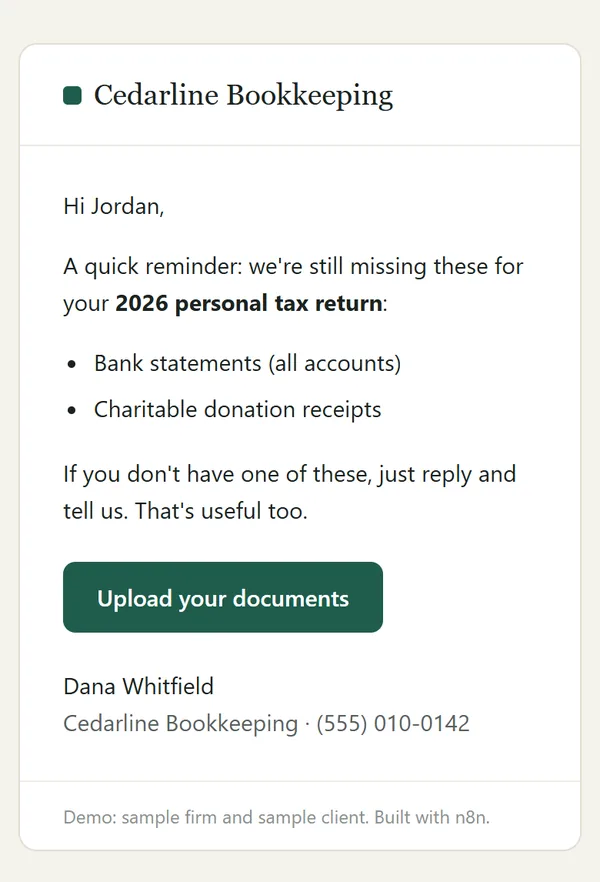
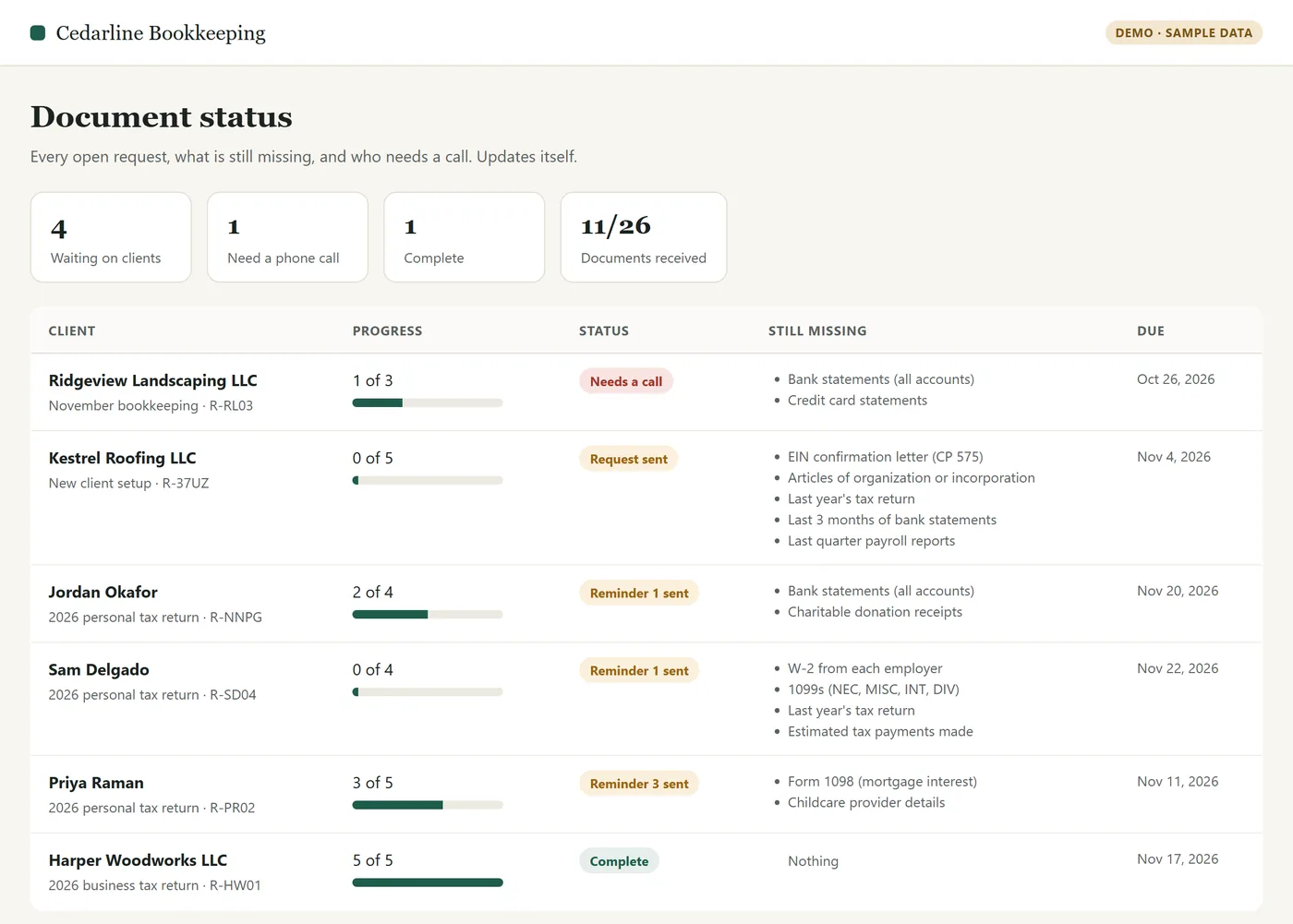
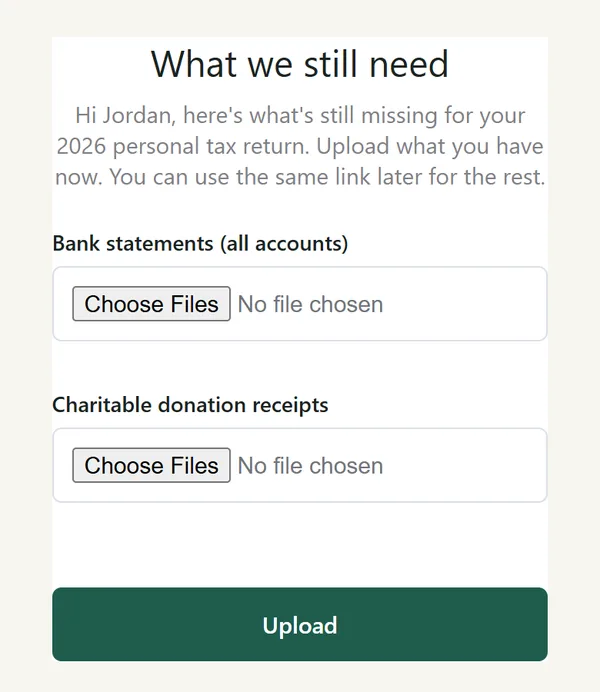
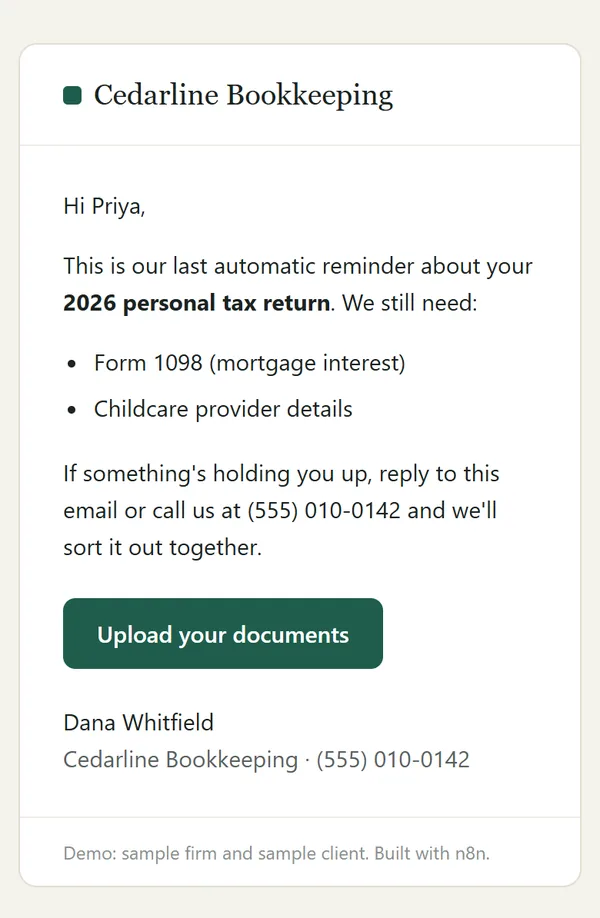
Each one is built for your firm, in your accounts, with your wording. They're plain, step-by-step workflows, not an AI chatbot guessing at things. The screenshots come from working demos on a made-up firm with made-up clients, not client work. Tap any image to see it full size.
Document collection with reminders
- You choose what you need from a client: W-2s, 1099s, bank statements, last year's return.
- They get one email with the list and a simple upload link. No portal login to forget.
- Reminders go out on a schedule you set. Each one lists only what's still missing, and they stop the moment everything is in.
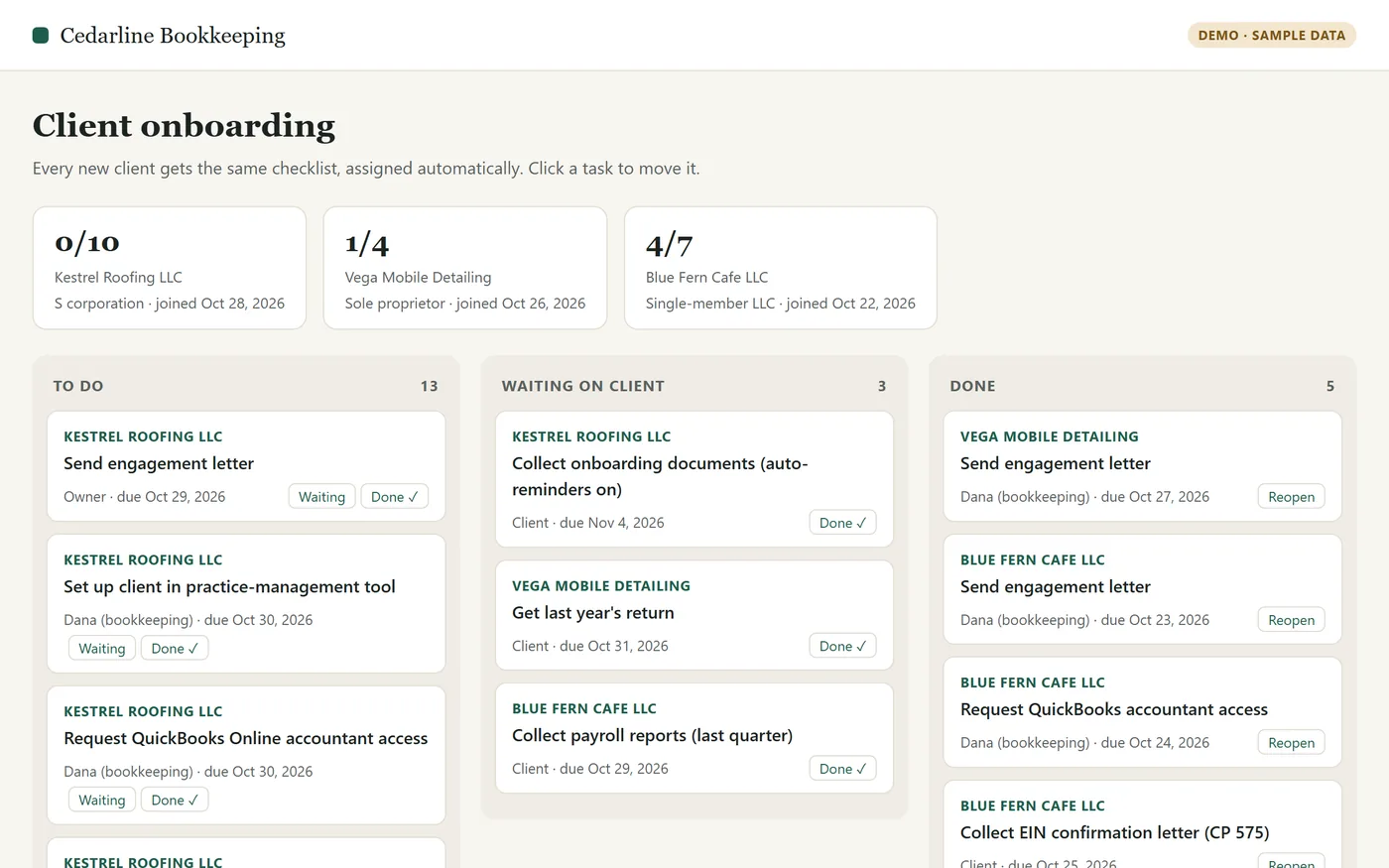
- One board shows every client's progress, and your team gets a heads-up when someone goes quiet.
New-client onboarding
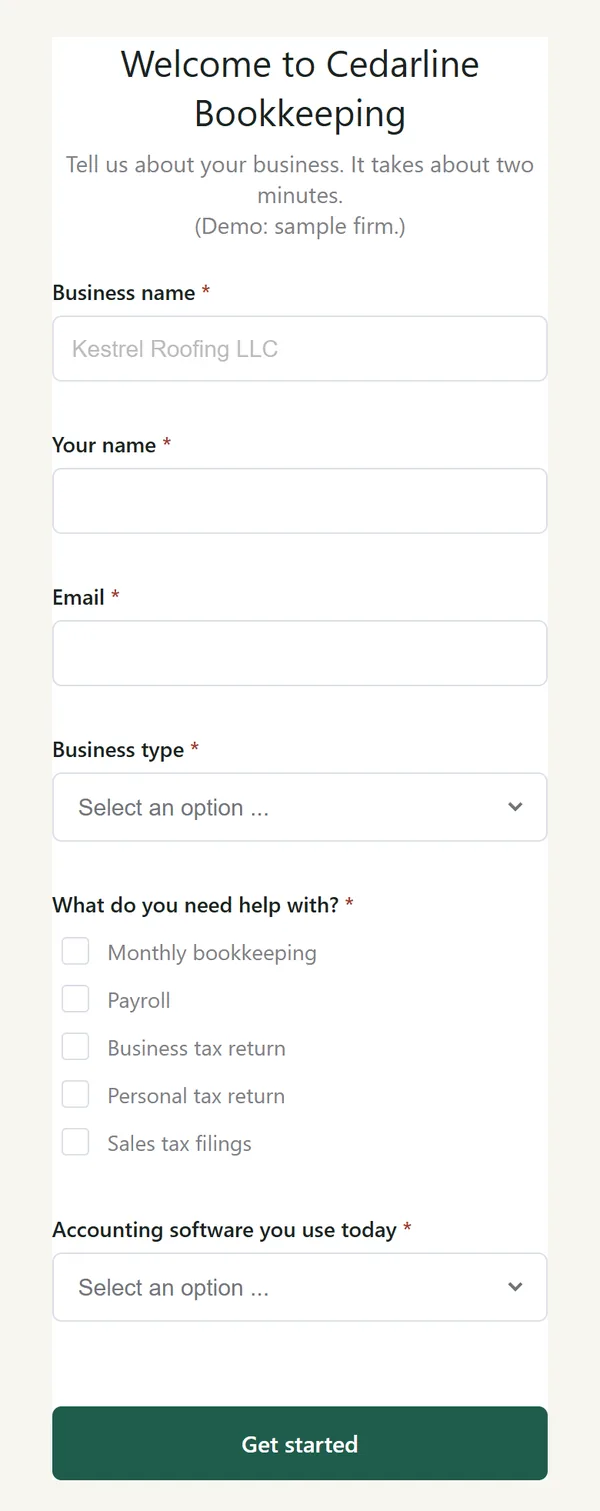
- Your new client fills in one intake form.
- Their folders are created with your standard structure.
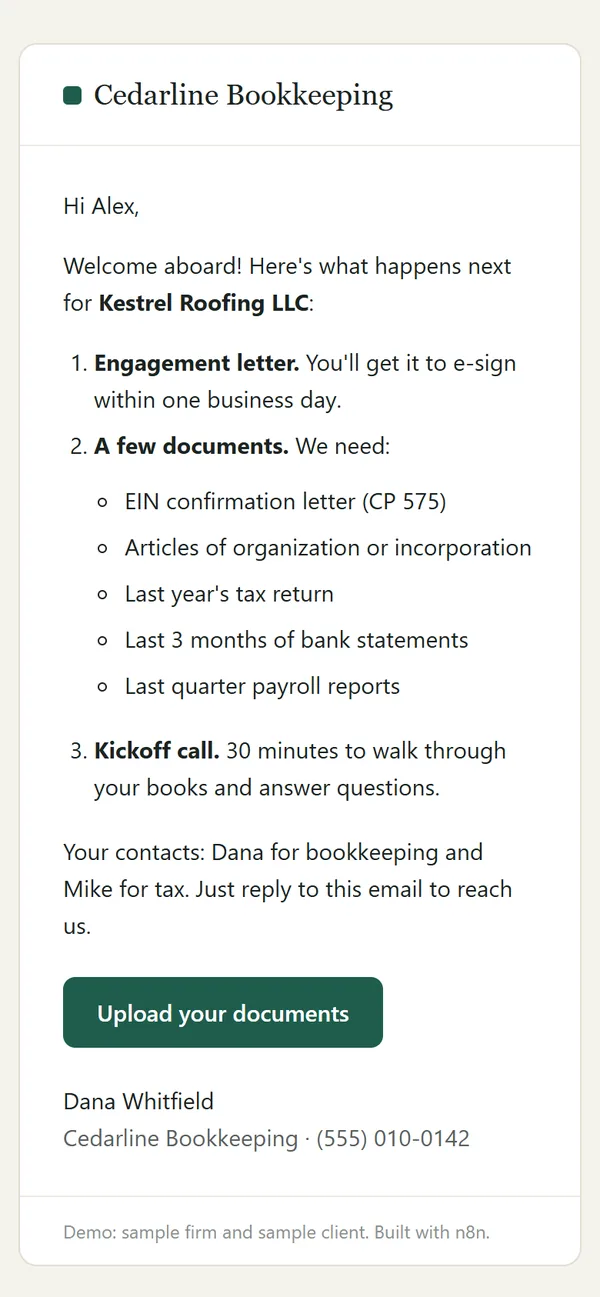
- A welcome email goes out with next steps, in your voice.
- Your onboarding checklist appears as tasks for your team, and the document request starts automatically.
Already on TaxDome, Karbon, Financial Cents or Canopy? They can all send document requests, and most can send automatic reminders, though some only on their higher-priced plans. If yours can and it just isn't set up, setting it up is the cheaper fix, and I'll tell you that on the call. A custom build earns its keep in the gaps between tools: one intake form that creates the folders, the tasks and the welcome email in one go, or reminders when your plan doesn't include them or you don't use a client portal.
I build around what you already use: Google Workspace or Microsoft 365, QuickBooks Online or Xero, your practice-management tool if it has an API or Zapier connection, or even a shared spreadsheet. Built in n8n, Zapier or Make.
I build it without seeing your clients' data
Tax and accounting firms handle sensitive financial information, and IRS rules limit who may see it. Here's how I work.
- I build and test on made-up sample clients. I don't need your clients' real documents or returns, and I won't ask for them.
- Everything runs in accounts your firm owns. Your staff connect your own apps, and I don't keep copies of anything on my own servers.
- My access is the least the job needs, and it ends before real client data starts flowing. You can remove it yourself at any time.
- I'll sign your confidentiality agreement and the contractor acknowledgment in your written security plan (the one in IRS Publication 5708).
- You get a one-page document listing what each automation reads, writes and sends.
- If AI would help with a step, I'll tell you up front and ask first. Your clients' data never goes into a public AI tool.
Hi, I'm Evans Elzein.
Luciola is my one-person practice. I build back-office automations for small bookkeeping, accounting and tax firms, and you deal with me directly, from the first call to the handover.
By day I build automations full-time for a US company. Luciola is separate: my own time and my own accounts.
I'm based in Lebanon and moving to Tbilisi, Georgia in 2027. I work in English. Write to me by the end of your day, and my answer will be waiting when you start the next morning.
To be straight with you: the practice is new, so the demos on this page use sample data rather than client work. That's why the first project is a small fixed-price pilot: half to start, half once it's working.
The name is Latin for "little light", the firefly: small, steady automations that keep working in the background.
Fixed prices, in US dollars
You know the price before I start. Scope is agreed in writing.
Pre-season package
- The full build: onboarding plus document collection plus status board
- Short training videos for your staff
- The first 3 months of the care plan included
- $550 to start, $550 when it's working
Pilot
- For example: document reminders for one service line
- Live in about 7 days
- $150 to start, $150 when it's working
- 30 days of fixes included
- $150 of it counts toward a full build
Full build
- Onboarding plus document collection plus status board
- Connected to your email, storage and task tools
- Short handover video and a one-page "what runs where" doc
- 30 days of fixes included
Care plan
- Error alerts go to your team. I fix problems within 2 business days by reproducing them on sample data, without opening your clients' records.
- Up to 1 hour of small changes a month
- A pre-season tune-up every December
- A short status email each month
Want it running before tax season? Book by early December. I start about 2 builds a month, and from January to mid-April I keep new projects small so I don't get in your way.
Not sure which fits? That's what the call is for.
From call to running in about a week
Call
15 minutes. You show me the step that eats your time.
Scope
A one-page written scope and a fixed price within 24 hours.
Build
In your accounts, on sample data, with the minimum access needed.
Handover
My access ends, you switch it on with real clients, and you get a short video and a one-page doc of what runs where.
Support
30 days of fixes, then an optional care plan.
Straight answers
Where are you, and when can we talk?
I'm in Lebanon (7 hours ahead of New York). Calls are short slots during your business day, which you can pick from the booking link. For email, if you write by the end of your day, my answer will be waiting when you start the next morning.
Can someone outside the US work on this?
Yes, as long as they never see your clients' tax information. IRS rules (26 CFR 301.7216) say a firm needs each client's signed consent before return information goes to anyone outside the US, and just viewing it counts. So I don't look. I build and test on sample data, my access ends, and then your team switches it on with real clients. If a problem ever seemed to need a look at live records, I'd tell you, and it would only happen with those consents in place. Your own adviser has the final word on your firm's setup.
What happens if you're not around later?
Everything runs in your accounts, so it keeps working without me. At handover you get a short video and a one-page document of what runs where. The workflows are standard n8n, Zapier or Make, so another automation freelancer can pick them up. Things only need fixing when one of your tools changes, which is what the 30 days of fixes and the optional care plan cover.
Do I have to switch software?
No. The point is to make the tools you already pay for do more. If your setup can't support what you want, I'll tell you on the call.
Do you use AI?
The document-collection and onboarding systems don't need it. They're dependable step-by-step workflows. If a step would genuinely benefit from AI, for example sorting uploaded files by type, I'll explain it and ask first.
How do I pay?
I send a simple invoice in US dollars. The cheapest way to pay is a Wise transfer, which costs you about $10 and gets the full amount to me. A regular international wire works too. For the pilot, you pay half to start and half on handover. Pay the pilot in full upfront and you also get an extra short training video for your staff.
What happens if something breaks?
Every build includes 30 days of fixes. After that, the care plan covers repairs: error alerts go to your team, and I fix the cause on sample data. Without it, you can still hire me for a fix whenever you need one.
Do you do marketing, ads or lead generation?
No. I work only on back-office operations: documents, onboarding, reminders, internal tasks and reporting.
Show me the step that eats your week.
Fifteen minutes. If automation won't help, you'll hear that from me too.
Book a 15-minute callPrefer email? Write to evans@luciolaops.com. If I emailed you, just reply to that.